9 Tips for Productive Remote Work
No traffic jams, perfect coffee and you can work undisturbed: working from home sounds ideal at first glance. But how do you make sure you use your time wisely and avoid working inefficiently?

Working from home has plenty of advantages. There is no commute, more flexibility, and often more control over the working day. At least, that is the idea.
In reality, a day at home can feel very different. A conversation in the next room, traffic outside, an echoing space, or a phone that keeps lighting up can quickly break concentration.
A good home workspace is about more than a desk and fast Wi-Fi. Light, comfort, planning, and especially a calm environment all play a role. With a few practical changes, working from home can become more comfortable, focused, and productive.
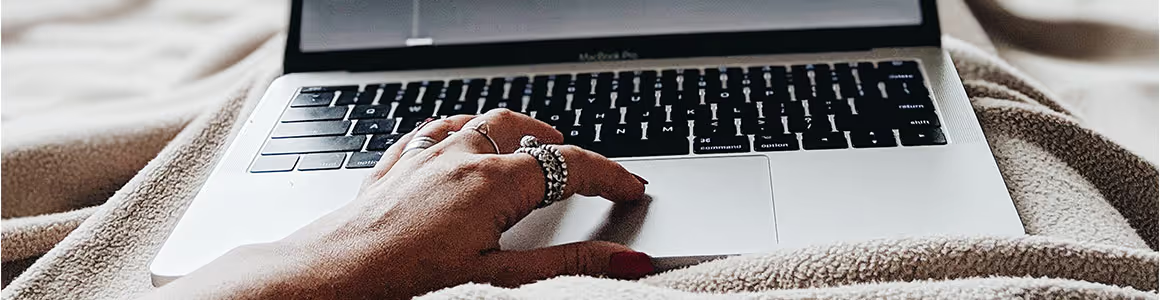
1. Create a Dedicated Home Workspace
Working at the kitchen table may seem convenient. For a few hours, it can work perfectly well. But for people who regularly work from home, the line between work and personal life can quickly disappear.
A dedicated home workspace helps create that separation.
It does not have to be a complete home office. A quiet corner with enough room for a desk, chair, and monitor can already make a difference.
Try to keep the area free from unnecessary distractions. Laundry, television, household items, and clutter can pull attention away from work without someone even noticing.
A dedicated space also creates a simple routine. Sitting down means the working day has started. Leaving the space at the end of the day makes it easier to switch off.
2. Do Not Start the Day With the Inbox
The laptop opens and, within seconds, the inbox appears. It is a familiar routine, but it is not always the best way to start a productive day.
A short plan can provide much more direction.
It helps to choose three important tasks that should be completed that day. Larger projects can be divided into smaller steps. This makes priorities clearer and prevents a long task list from becoming overwhelming.
The schedule should also leave some free space. An unexpected phone call, meeting, or urgent request will eventually appear.
A realistic schedule gives these interruptions somewhere to go without disrupting the entire day.

3. Look Beyond Visual Distractions
When people create a home workspace, they often focus on what they can see. A clean desk, comfortable chair, and good monitor usually receive plenty of attention.
What someone hears can be just as important.
Conversations between family members, children playing, household appliances, traffic, and sounds from other rooms can repeatedly interrupt concentration.
Then there is reverberation.
Rooms with large areas of glass, concrete, hard flooring, and bare walls can reflect sound rather than absorb it. As a result, even a relatively quiet room can sound busy or uncomfortable.
Headphones can provide temporary relief, but they do not improve the acoustics of the room itself. For people who regularly work from home, it can therefore be useful to consider suitable acoustic solutions for the workspace.
4. Do Not Forget the Acoustics of a Home Workspace
Acoustics are probably not the first thing people think about when setting up a home office. Yet their importance often becomes clear when the space is used for video calls, phone conversations, or tasks that require deep concentration.
The aim does not have to be complete silence. A comfortable workspace is more about controlling unwanted sound reflections and excessive reverberation.
For example, acoustic wall panels can absorb sound reflections from hard walls. They can also become part of the interior design, combining acoustic performance with appearance.
When there is limited wall space, acoustic ceiling panels may provide another option.
The area immediately around the desk can also be considered. In a shared room or open space, acoustic desk panels can help create a more defined and comfortable working area.
At Akoesta, the approach goes beyond simply adding as much acoustic material as possible. The layout of the room, reflective surfaces, the position of the workspace, and the source of the acoustic problem all matter.
Understanding these factors first makes it easier to find an acoustic solution that genuinely fits the space.
5. Make Comfortable Working Easy
A quiet room will not help much if someone develops neck or shoulder discomfort after a few hours.
A home workspace should therefore be comfortable as well as quiet.
A stable desk and suitable office chair provide a good starting point. The screen should sit at a comfortable height so the user does not spend the entire day looking down.
For regular laptop users, a laptop stand, external keyboard, and separate mouse can make the setup more comfortable.
Natural light also makes a workspace more pleasant. A desk near a window can work well, as long as direct sunlight does not create distracting glare on the screen.
Fresh air matters too. A room that stays closed for hours can feel much less comfortable by the afternoon.
A well-designed home workspace brings together ergonomics, light, fresh air, and acoustic comfort.
6. Do Not Stop Working for Every Notification
Sometimes the biggest distraction is not coming from the room. It is coming from the screen.
An email arrives. Then there is a chat message. A few seconds later, the phone vibrates.
Every notification asks for a small piece of attention.
During work that requires concentration, switching off notifications can help create longer periods of uninterrupted focus. Email and chat can be checked at set times instead of immediately after every new message.
The same principle applies to household tasks.
Starting the washing machine sounds like a two-minute job. Then the laundry needs attention, something in the kitchen catches the eye, and 15 minutes later the focus is somewhere completely different.
A simple boundary can help: working hours are for work, while household tasks have their own time.
7. Take a Break That Actually Feels Like a Break
Working from home removes some of the natural movement that happens in an office.
There is no walk to a meeting room, no trip to the coffee machine, and sometimes not even a proper lunch break.
Before long, someone may have been sitting in the same position for several hours.
Regularly getting up can make the day feel much better. Getting a glass of water, taking a short walk, stretching, or spending part of the lunch break outside can provide a useful change of pace.
It also helps to move away from the screen.
Eating lunch while answering emails may technically count as a break, but it rarely feels like one.
A real pause gives the mind a chance to switch off briefly. Returning to work with fresh attention can be far more useful than trying to push through the entire day without stopping.
8. Make Online Meetings Sound Better
Poor room acoustics often become particularly noticeable during video calls.
A hard, empty room can make speech sound hollow or distant. Background noise can make it even harder for colleagues or clients to follow the conversation.
A good headset and microphone can certainly help, but the room itself still matters.
Soft and sound-absorbing materials reduce reflections within the space. This can make conversations feel calmer and speech easier to understand.
Anyone who spends a large part of the working day on calls should therefore consider the acoustics of the workspace when setting up a home office.
The benefit is not limited to the person working from home. Colleagues and clients on the other side of the call can also benefit from clearer communication.
9. Give the Working Day a Clear Ending
One of the challenges of working from home is that the office is never very far away.
The laptop is still sitting on the table. An email arrives in the evening. That unfinished task looks as though it might take only another ten minutes.
This is why a clear end to the working day matters.
The desk can be tidied, unfinished tasks can be noted for tomorrow, and work applications can be closed.
If possible, the laptop and other work materials can also be put out of sight.
Someone with a separate home office can literally close the door. When the workspace is part of the living room, putting work equipment away can create a similar sense of separation.
The message is simple: the working day is finished.
A Better Home Working Day Starts With the Space
Productive remote work does not require a perfect home office.
A dedicated workspace and realistic schedule already provide more structure. A suitable chair and good lighting improve comfort. Regular breaks support energy levels, while fewer notifications make it easier to focus.
But if the workspace still feels restless after those improvements, it may be worth listening to the room itself.
Reverberation and unwanted sound are easy to overlook. Yet they can influence how comfortable a workspace feels, especially during focused tasks and online meetings.
Acoustic solutions can help create a calmer home workspace. Depending on the room, this might involve a wall panel, a ceiling solution, or acoustic treatment around the desk.
The right approach depends on the room and the acoustic problem.
At Akoesta, the focus is therefore not simply on choosing a product. The more important question is: what does this particular space need to sound more comfortable?
Explore Akoesta's acoustic solutions to discover different ways to combine a comfortable acoustic environment with an attractive interior.
Frequently Asked Questions About Working From Home
How can someone be more productive when working from home?
A dedicated workspace and clear daily plan provide a strong starting point. It also helps to identify important tasks in advance, switch off unnecessary notifications during focused work, and take regular breaks. A quiet and comfortable working environment can make it easier to maintain concentration.
How should a good home workspace be set up?
Start with a suitable desk, comfortable chair, and screen at a practical height. The workspace should also have enough natural light, fresh air, and as few distractions as possible. If the room has noticeable reverberation or unwanted noise, its acoustics should also be considered.
How can noise be reduced while working from home?
The right solution depends on the type of noise. Headphones can provide temporary relief from surrounding sounds. When the problem is reverberation inside the room, sound-absorbing materials may be more suitable. These can include acoustic wall panels, ceiling panels, or desk solutions.
Why are acoustics important in a home workspace?
Hard surfaces can reflect sound around a room. This can increase reverberation and make the space feel acoustically busy. Sound absorption helps reduce these reflections and can create a more comfortable environment for focused work, phone calls, and online meetings.
Are acoustic panels only suitable for offices?
No. Acoustic panels can also be used in homes and home workspaces. The right solution depends on the room layout, interior design, available surfaces, and the acoustic problem that needs to be addressed.
Where should acoustic panels be placed in a home office?
There is no single position that works for every room. In one space, a wall may create the strongest reflections. In another, the ceiling or area around the desk may require more attention. The room and the acoustic problem should therefore be assessed before deciding where acoustic treatment should be placed.

.avif)

Share this:

Related posts
Check out these articles...
Identifying Noise Sources for Better Acoustics


You can measure acoustics!

Hot, hip & happening, but also a true conversation killer
Transform your environment into the best version to work, learn or live in
Know what options are available for your situation in 30 minutes.